How to Build a Custom CRM for Your Sales Business Using AI

Most sales teams do not fail because they lack effort. They fail because their systems are a mess.
Spreadsheets here. Notes in your phone. Contacts in your email. Follow-ups you meant to do last week. Sound familiar?
A CRM is supposed to fix that. But for many businesses, traditional CRMs feel bloated, expensive, and wildly overbuilt for what they actually need.
Here’s the good news: you no longer need a massive software budget or a development team to build a CRM that actually works for your business.
With modern no-code tools and AI, you can build a custom CRM tailored to how you sell, not how a software company thinks you should sell.
Let’s walk through how to do it.
Step 1: Decide What Your CRM Actually Needs to Do
Before touching any software, get brutally honest.
A CRM is not a contact list. It is a decision and follow-up engine.
Ask yourself:
Who are my leads?
How do they come in?
What actions do I need to take next?
What do I need to remember that I currently forget?
For most sales businesses, the core needs are simple:
Contact information
Lead source
Sales stage
Last contact date
Next action
Notes and history
If your CRM does not make follow-up easier, it is not a CRM. It is just a database wearing a tie.
Step 2: Map Your Sales Pipeline Like a Human, Not a Software Company
This is where many CRMs go off the rails.
Instead of forcing your process into a generic pipeline, design your pipeline around real behavior.
A simple example:
New Lead
Contacted
Qualified
Proposal Sent
Negotiation
Closed Won
Closed Lost
That is it. No buzzwords. No fluff.
Your CRM should reflect how conversations actually progress, not how a marketing brochure describes them.
Step 3: Build the CRM Using a No-Code Platform
This is where tools like Base44 shine.
No-code platforms allow you to:
Create custom fields
Design your own pipeline views
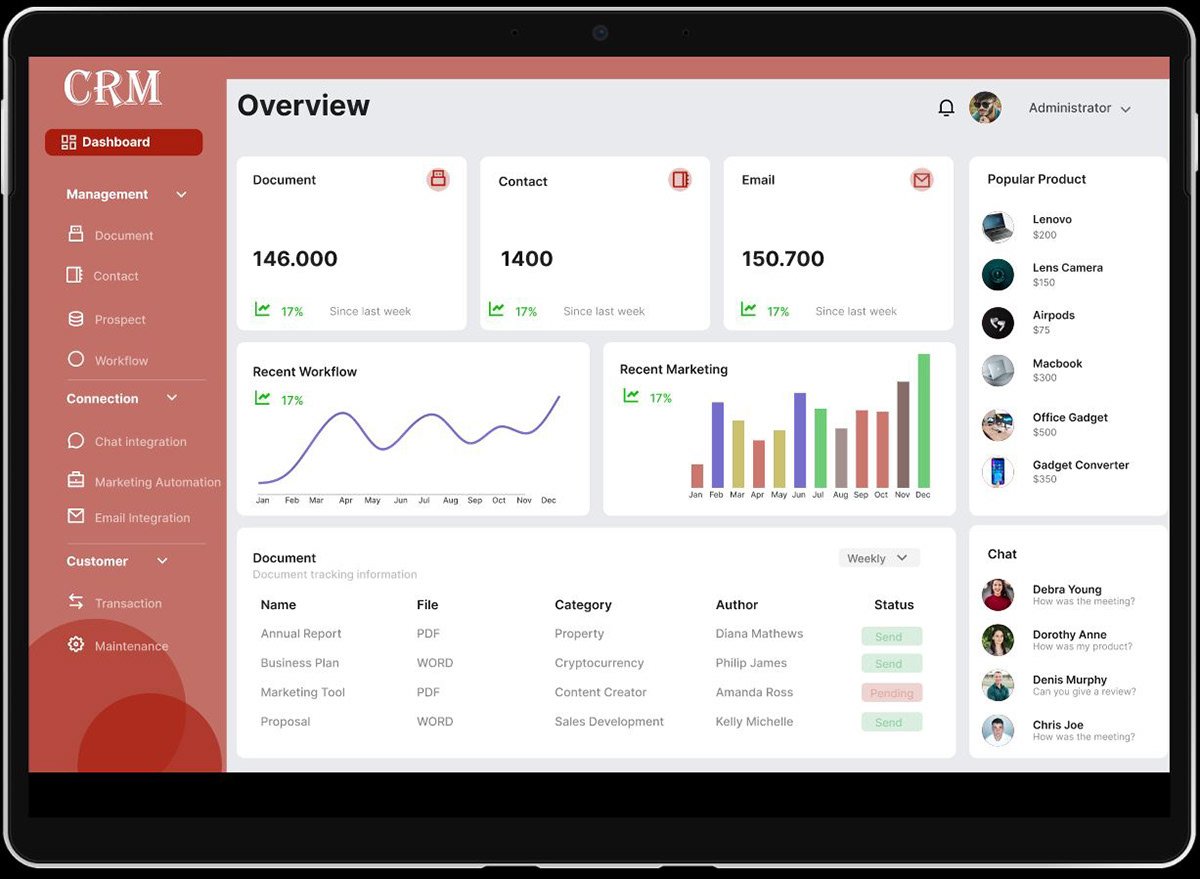
Build dashboards
Add automations
Adjust everything without writing code
Think of it like LEGO for business systems. You are snapping together what you need and leaving the rest in the box.
You are no longer stuck paying for features you will never use.
Step 4: Add AI Where It Actually Helps
AI should not replace your sales process. It should remove friction.
Here are high-impact ways to use AI inside your CRM:
Automatically summarize call notes
Draft follow-up emails
Suggest next actions based on deal stage
Flag stale leads that need attention
Generate reminders that actually matter
This turns your CRM from a passive record keeper into an active assistant.
If your CRM just stores information, you still have to think about everything.
If your CRM uses AI, it helps you decide what to do next.
That is the difference.
Step 5: Automate the Boring Stuff
If you are manually doing these things, stop:
Updating deal stages
Creating follow-up tasks
Copying notes from emails
Sending routine messages
Your CRM should:
Move deals automatically
Create tasks when stages change
Trigger follow-ups
Log activity without effort
Automation is not about being lazy. It is about protecting your focus.
Step 6: Build Dashboards That Drive Action
Your dashboard should answer one question instantly:
“What should I work on today?”
Good CRM dashboards show:
Deals needing follow-up
Leads stuck too long in one stage
Pipeline value by stage
Conversion rates
If your dashboard just looks impressive but does not change behavior, it is decoration.
The Biggest Mistake Most Businesses Make
They buy a CRM and expect it to fix broken processes.
Software does not fix chaos. It magnifies it.
The real power comes from:
Designing the system around your business
Layering AI intentionally
Automating only what matters
Iterating as your business grows
That is where most people get stuck.
How Mind Bridge AI Consulting Helps
This is exactly where Mind Bridge AI Consulting comes in.
We do not just recommend tools. We:
Design CRMs around how you actually sell
Build custom systems using no-code platforms like Base44
Integrate AI in practical, ethical, and useful ways
Automate workflows that save real time
Train you and your team so the system actually gets used
No bloated software. No hype. Just systems that work.
Ready to Build a CRM That Works for You?
If your current CRM feels heavy, confusing, or ignored, it is time for a better approach.
👉 Let Mind Bridge AI Consulting help you design and build a custom CRM powered by AI that fits your business, not the other way around.
Your sales process already exists.
We just help you build the system that finally supports it.